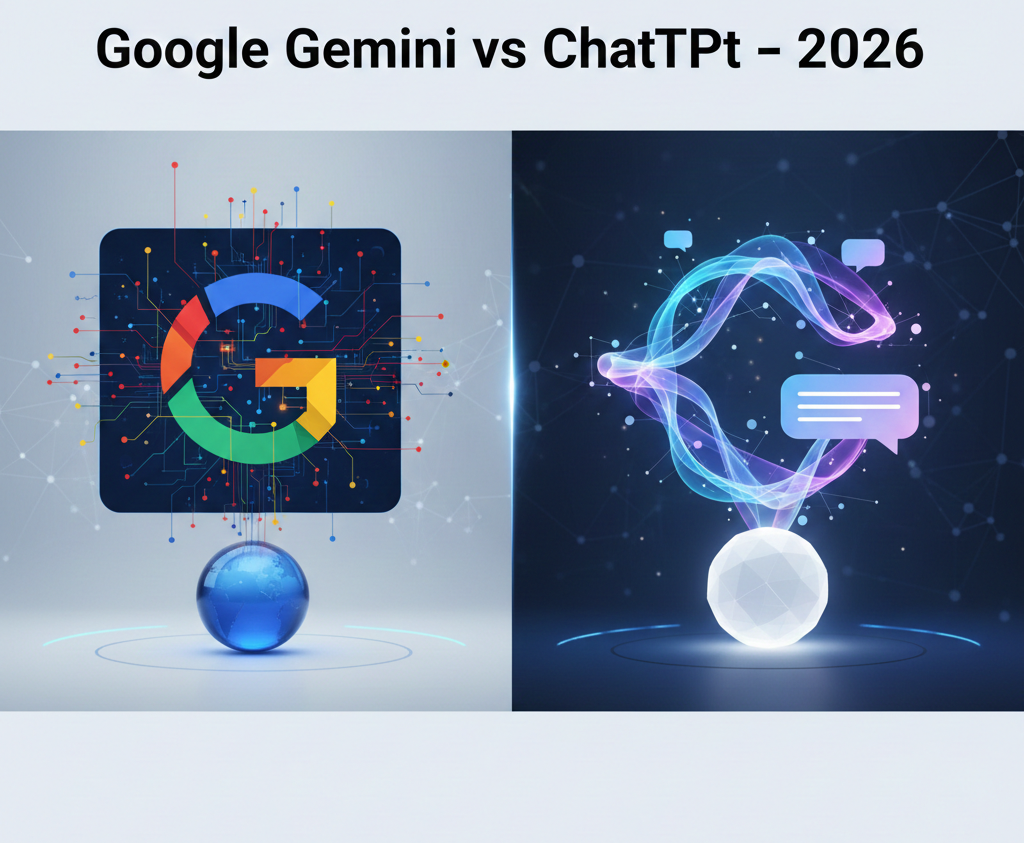
Google Gemini vs ChatGPT: Which AI Is Better in 2026?
Artificial Intelligence is no longer just a buzzword. In 2026, AI tools have become part of our daily lives — from writing emails and blogs to solving homework, coding apps, and even planning travel. Among all AI tools available today, Google Gemini and ChatGPT are the two most popular and powerful platforms.
But the big question remains:
👉 Google Gemini vs ChatGPT – which AI is better in 2026?
The answer depends on how you use AI. In this detailed comparison, we’ll look at features, performance, usability, pricing, and real-life use cases to help you decide the best AI tool for your needs.
What Is Google Gemini?
Google Gemini is Google’s advanced AI assistant designed to work closely with Google products like Search, Gmail, Docs, Sheets, Drive, Android phones, and more. It is built to understand text, images, documents, videos, and real-time data.
The biggest strength of Gemini is its deep integration with Google’s ecosystem. If you already use Google services daily, Gemini feels like a natural extension of your workflow.
Key Highlights of Google Gemini:
-
Real-time answers using Google Search
-
Works smoothly with Gmail, Docs, and Drive
-
Strong research and analytical abilities
-
Can process very large documents
-
Available on Android devices
What Is ChatGPT?
ChatGPT, developed by OpenAI, is a powerful conversational AI known for its human-like responses, creativity, and flexibility. It is widely used by bloggers, developers, students, marketers, and businesses.
ChatGPT is especially popular for:
-
Writing articles and scripts
-
Explaining complex topics simply
-
Coding and debugging
-
Creative tasks like storytelling and ideas
ChatGPT works independently of any single ecosystem, which makes it more flexible for different platforms and tools.
Key Highlights of ChatGPT:
-
Excellent natural conversation
-
Strong creative writing skills
-
Powerful coding support
-
Custom GPTs and plugins
-
Developer-friendly APIs
1. Intelligence and Answer Quality
Both Gemini and ChatGPT are very smart, but they shine in different ways.
🧠 Google Gemini
Gemini is excellent for:
-
Research-based questions
-
Long reports and documents
-
Data-driven tasks
-
Current news and trending topics
Because Gemini is connected to Google Search, it often provides up-to-date information, which is very useful for news, technology updates, and real-world facts.
🤖 ChatGPT
ChatGPT is better when:
-
You want detailed explanations
-
You need creative or emotional writing
-
You want step-by-step guidance
-
You prefer natural, conversational replies
For blogs, scripts, emails, and storytelling, ChatGPT usually feels more “human”.
✅ Winner:
-
Research & current info → Google Gemini
-
Creative & conversational tasks → ChatGPT
2. Writing and Content Creation
If you are a blogger, content creator, or marketer, this section matters a lot.
✍️ ChatGPT for Writing
ChatGPT is still the favorite for:
-
Blog posts
-
SEO articles
-
YouTube scripts
-
Social media captions
-
Email writing
Its tone feels natural, engaging, and easy to customize. Many users feel ChatGPT understands writing intent better.
📝 Gemini for Writing
Gemini is improving fast, but its writing style often feels:
-
More formal
-
More factual
-
Less emotional
It works well for reports, summaries, and business content.
✅ Winner for writing: ChatGPT
3. Multimodal Capabilities (Text, Images, Files, Video)
In 2026, AI is not just about text anymore.
📂 Google Gemini
Gemini handles:
-
Text
-
Images
-
PDFs
-
Videos
-
Long documents
You can upload large files and ask Gemini to analyze them deeply, which is very helpful for students and professionals.
🖼️ ChatGPT
ChatGPT also supports:
-
Text
-
Images
-
Audio
-
Image generation (with tools)
However, for heavy document and video analysis, Gemini currently performs better.
✅ Winner for multimodal tasks: Google Gemini
4. Integration and Ecosystem
🔗 Google Gemini
Gemini works best if you use:
-
Gmail
-
Google Docs
-
Google Sheets
-
Google Drive
-
Android phone
Tasks like writing emails, summarizing documents, or planning schedules become very easy.
🔌 ChatGPT
ChatGPT is more flexible:
-
Works with many third-party tools
-
Supports APIs and plugins
-
Allows custom GPTs
-
Suitable for developers and businesses
If you don’t want to stay inside one ecosystem, ChatGPT gives more freedom.
✅ Winner:
-
Google users → Gemini
-
Developers & creators → ChatGPT
5. Real-Time Information
This is where Gemini clearly stands out.
-
Google Gemini uses real-time Google Search
-
ChatGPT may not always have the latest information unless browsing is enabled
For live news, trending topics, and latest tech updates, Gemini usually gives faster and fresher answers.
✅ Winner: Google Gemini
6. Pricing and Value
💰 ChatGPT
-
Free version available
-
Paid plan (Plus) offers advanced features
-
Good value for individual creators and freelancers
💰 Google Gemini
-
Often bundled with Google Workspace
-
Good for teams and businesses
-
Cost-effective if you already use Google services
✅ Winner: Depends on usage
7. Privacy and Data Control
Both platforms store user data, but:
-
Google Gemini is linked to your Google account
-
ChatGPT allows easier conversation control and deletion
Privacy-conscious users should review settings on both platforms carefully.
Final Verdict: Which AI Is Better in 2026?
There is no single winner for everyone.
✅ Choose Google Gemini if:
-
You want real-time information
-
You use Google services daily
-
You work with long documents and research
-
You prefer structured and factual responses
✅ Choose ChatGPT if:
-
You create blogs or content
-
You want natural, human-like writing
-
You are a developer or marketer
-
You need flexibility and creativity
🏆 Best Overall Choice?
👉 Use both.
Many professionals in 2026 use Gemini for research and ChatGPT for writing and creativity.
| Official AI Website | https://elevenlabs.io/ |
| Home Page | http://www.techlovesstyle.com |
Conclusion
The competition between Google Gemini and ChatGPT is pushing AI technology forward faster than ever. Both tools are powerful, reliable, and constantly improving. Instead of asking which one is better, the smarter question is:
👉 Which AI fits your work style best?
For most users, combining both tools delivers the best results.